Keep timelines private until you are ready to share
Timetoast gives you practical privacy and sharing controls for timelines that move between internal planning, client review, and public presentation. Keep drafts private, share selected work with teammates, and publish finished timelines when the timing is right.
That means less risk of exposing in-progress plans and less friction when it is time to send a polished update outward.

Share only with the people who need to see the plan
Keep sensitive work internal while it is taking shape, then share with selected people or groups when the timeline is ready for review. That works well for project timelines, client deliverables, legal chronologies, and research work that should not go public too early.
You decide what stays private, what is shared selectively, and what is ready for a public audience.

Embed timelines in websites, client portals, and intranets
Timetoast generates embed code so you can place an interactive timeline inside a website, a knowledge base, or a client-facing resource. You keep one source of truth while giving people access in the place they already expect to find the update.
That makes it easier to share polished work externally without asking people to jump between tools.
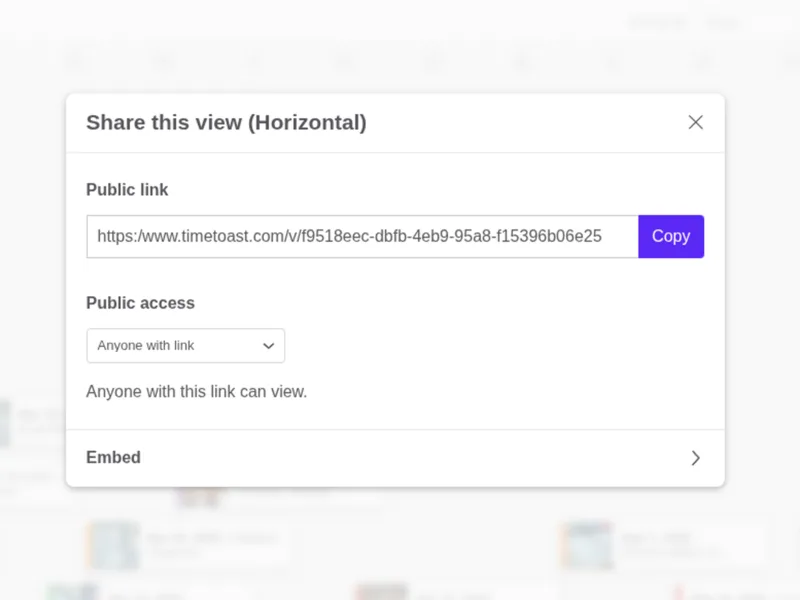
Publish, link, and send updates with confidence
When the timeline is ready, you can share it directly, publish it publicly, or pair it with collaboration controls so the right people can keep contributing behind the scenes.
That balance makes Timetoast useful for stakeholder updates, classroom resources, public history, and client-facing timeline presentations.
Why privacy and sharing controls matter for timeline work
Timeline work moves through stages. A plan might start as a rough internal draft, move into team review, go through client approval, and eventually become a public resource. At each stage, the audience and the risk of accidental exposure are different.
Without controls, teams either overshare too early or undershare because they worry about losing control. Both slow things down.
Timetoast gives you graduated sharing:
- Private: every new timeline can start private so nothing is exposed before you decide it should be
- Selective sharing: share with specific users or groups when work is ready for review
- Public publishing: make a timeline available to anyone with the link or via search when it is ready for a wider audience
- Embeddable: place an interactive timeline inside a website, knowledge base, or intranet without sending people to another tool
That progression means you can keep internal planning secure, share polished outputs with clients or stakeholders, and eventually publish finished timelines for public audiences, all from one tool.
Who uses privacy and sharing controls
These controls help whenever a timeline needs to move between internal and external audiences.
-
Client-facing teams
Keep planning work private, then share a polished timeline with clients for review.
-
Educators and schools
Prepare lesson timelines privately, then publish or share them with a class. Students can view without editing unless you explicitly grant them edit access.
-
Content creators and museums
Embed published timelines in a website, blog, or exhibit page so the audience can interact with the timeline without leaving your site.
Key benefits at a glance
- Timelines have flexible privacy controls, so nothing is exposed before you are ready
- Share selectively with specific teammates, groups, or clients
- Publish timelines publicly when they are ready for a broader audience
- Embed interactive timelines in websites, knowledge bases, and intranets
- Control who can view, edit, and publish at the account level
- Move from internal to public resource without rebuilding the timeline
Explore More Product Features
See how Timetoast helps you plan clearly, organize timeline data, and share progress with confidence.
Dynamic Views
Switch between horizontal, vertical, and grid views to plan, edit, and present clearly.
Custom Fields & Grouping
Tailor timelines with custom fields, color coding, filters, and grouped lanes.
Collaboration
Invite teammates, set roles, and keep everyone working from the same timeline.
Date Handling
Work confidently with BCE dates, year-only dates, regional formats, and timespans.