Biography timelines that turn life events into a clearer story
Use Timetoast to bring life events, milestones, and historical context together in one biography timeline. The result is a life story that is easier to organize, explore, and share.

Biography timeline example: Katherine Johnson
Loading example...
See how milestones, locations, and turning points can read once a life story is organized into a shared timeline.
Turn life details into a clearer narrative
If you are looking for a biography timeline maker, the challenge is usually turning scattered notes, dates, and sources from different places into one clear life story.
Many biographies start as notes, photos, and documents collected over time:
- Dates and events live in different files or notebooks
- It’s hard to see the sequence of a life at a glance
- Sharing drafts with students, family, or colleagues is clumsy
The result: life stories stay fragmented instead of becoming a clear, memorable narrative.
A biography timeline brings everything together:
- Shows how key moments connect across years and places
- Makes it easier to spot gaps, patterns, and themes
- Gives people a visual way to explore someone’s life story
With Timetoast, you can organize details in a grid, then turn them into an interactive timeline that’s easy to share.

Shape the life story before you publish it
Use the grid view when you’re gathering and organizing material:
- Add childhood, education, work, and later-life events in seconds
- Use custom fields for places, people, sources, and themes
- Sort by period or location to check for gaps
Research notes stay structured while the public-facing story stays easy to follow.

Show the arc of a life more clearly
Switch to a timeline view when you want people to experience the story:
- A horizontal timeline is ideal for big-picture overviews of a life
- A vertical timeline works well for scrolling on phones or when you want to see all the details
The research view and the reading view stay connected, so the story does not drift from your notes.

Bring themes and turning points into focus
Biographies are full of recurring people, locations, and themes. Timetoast helps you surface them:
- Filter by period – childhood, early career, later life
- Filter by place – cities, countries, or regions
- Filter by theme – family, work, travel, achievements
- Color-code events so patterns stand out at a glance
You can change filters and colors depending on the story you want to emphasize, or use the same approach for history timelines that connect one life to broader events.
Useful for family history, teaching, and research
Use Timetoast for family history, class assignments, and research-led storytelling. It keeps dates, notes, and shared edits together while leaving the life story easy to follow.
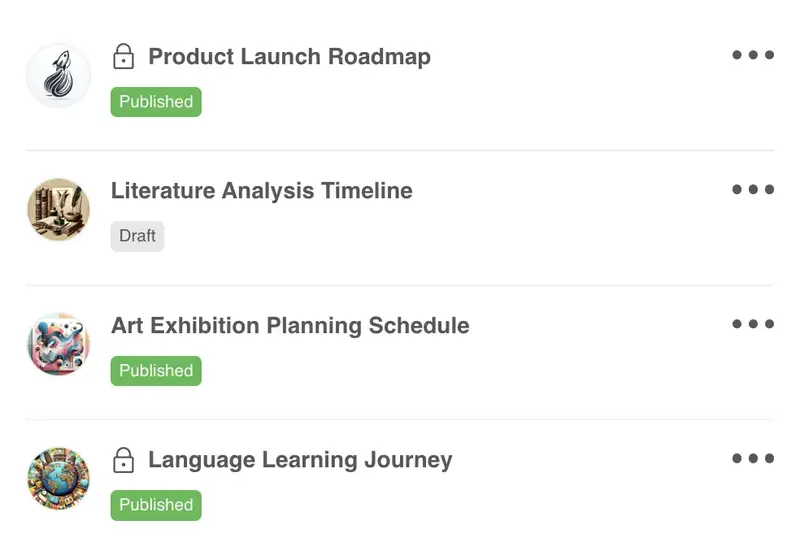
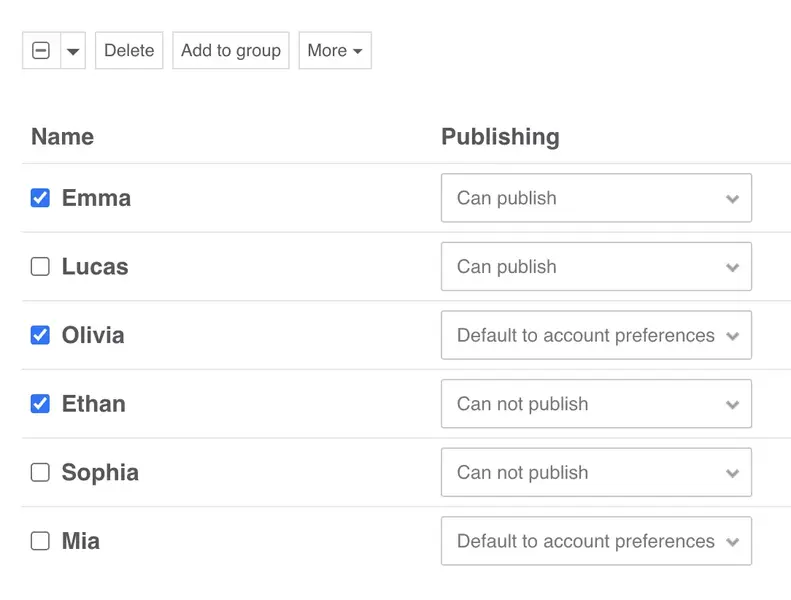
- Invite students, family members, or collaborators with clear view and edit rights
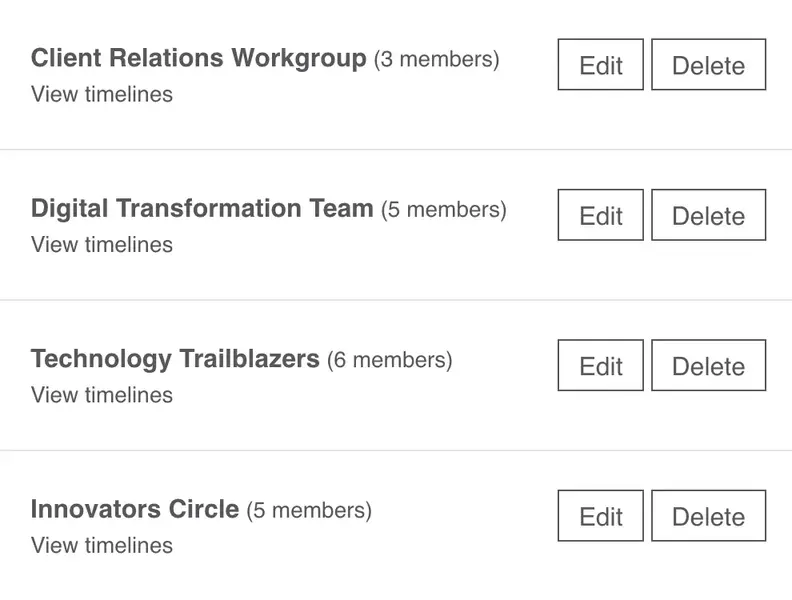
- A shared workspace so everyone works from the same biography project
- Keep timelines private, share them with a small group, or publish them more widely
- Export your data when you need to write a paper, book, or speech
A strong starting structure for biography work
Here’s a simple structure you can use as a starting point. You can set this up yourself or start from the Biography template in Timetoast.
-
Fields that capture a full life
A typical biography project might include fields like:
- Event – the moment, milestone, or turning point
- Year or date – when the event took place
- Place – city, country, or region
- People involved – family members, colleagues, or key figures
- Theme – education, family, work, travel, achievements
- Source – documents, interviews, links, or archives
- Notes – extra context, quotes, and stories
You can rename or add fields to match your project – for example focusing on letters, court records, or school reports.
-
Views for research, reading, and presentation
Each view displays your work in a different way:
-
Research view (grid)
All events with sources and notes. Used while you’re still gathering material. -
Story view (horizontal timeline)
The main life story, focused on the most important events and themes. -
Full view (vertical timeline)
Filtered to a theme, or age range that’s most relevant for your audience.
You can switch between these views in a couple of clicks, without recreating the biography in a new document.
-
Research view (grid)
-
How a biography comes together over time
As you work on a biography you might:
- Gather events in the grid as you review photos, letters, or archives.
- Review the timeline with others to check dates, places, and missing moments.
- Share a view for a talk, assignment, or presentation.
The biography stays current because you keep editing one project instead of maintaining lots of separate files.
Who biography timelines help most
Biography timelines work well when people need to organize one life story for different audiences without losing the detail behind it.
-
Teachers and classroom projects
- Turn biography assignments into clear, visual projects
- Compare two life stories side by side using lane grouping
- Embed timelines in class websites or learning platforms
-
Families and individuals
- Preserve family histories without needing design skills
- Invite relatives to add their own memories and dates
- Share a private or public link instead of sending large files
-
Researchers and biographers
- Keep sources and events in one structured project
- Filter by place, theme, or period while drafting chapters
- Use exported data in articles, books, or presentations
Why biography projects work well as timelines
Timetoast helps biography projects:
- Turn life events, photos, and notes into one clear timeline
- Keep one organized project instead of many overlapping documents
- Highlight milestones, patterns, and context more clearly
- Update dates and details in a few clicks without redesigning anything
- Start faster with a template tailored to biographies
Templates for biography and family-history work
You can create a biography from scratch or start with a template built for personal stories, school projects, and historical figures.
-
Biography-friendly starting points:
-
Biography timeline
Highlight key events, people, and places across a person’s life. -
Classic timeline
Title, description and categories. Bare-bones, flexible structure. -
Blank project
Start with a clean slate and add only the fields and views you need.
-
Biography timeline
-
What you get to start from:
- Helpful default fields for biography work
- Sample events you can edit or remove
- The grid view and horizontal/vertical timeline views ready to use from day one
Timelines for different use cases
See how Timetoast supports roadmaps, projects, history, teaching, biographies, and legal chronologies.
Roadmapping
Show priorities, releases, and overlaps in a roadmap people can follow.
Project Management
Turn tasks, milestones, and deadlines into one clear shared timeline.
History
Place events, eras, and figures in chronological context with a clear history timeline.
Education
Help students see sequence, comparison, and context across lessons and topics.
Legal Cases
Build defensible chronologies for events, evidence, participants, and deadlines.